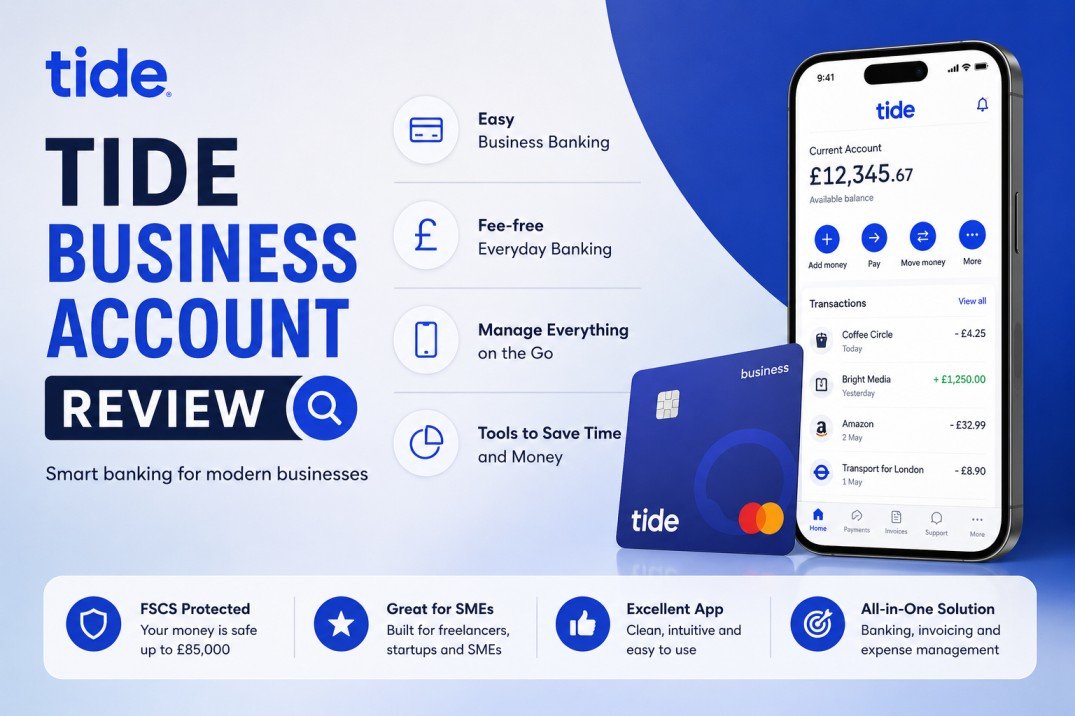
Managing a business in the UK is an exciting journey, but it comes with its fair share of administrative challenges. As a sole trader, freelancer, or digital entrepreneur, one of the first and most critical milestones you face is setting up a proper financial structure. While the law in the UK does not strictly force sole traders to open a dedicated business bank account, combining your personal grocery bills with your client invoices is a recipe for a tax-season nightmare.
In recent years, traditional high-street banking has faced massive disruption from digital-first platforms. Among these, Tide has emerged as a dominant force, capturing the attention of over 600,000 members across the United Kingdom.
In this comprehensive, in-depth Tide Business Account Review, we will dismantle everything you need to know about this platform. We will look at its core features, pricing strategies, advantages, and limitations. More importantly, we will analyze how Tide integrates with sole trader accounting to transform a tedious legal obligation into a seamless, automated process.
Table of Contents
The Reality of Being a Sole Trader in the UK
Before diving into the platform itself, it is essential to understand the modern landscape of self-employment. When you operate as a sole trader, you and your business are a single legal entity. Every pound you earn is subject to UK income tax and National Insurance contributions, which must be declared annually via HMRC’s Self Assessment system.
To file this accurately, you must track every single business-related expense—from the web hosting and SEO tools you purchase to your morning travel or office stationery. If your personal and business transactions are tangled up in one standard current account, separating them six months later is incredibly stressful. This is exactly the friction point that digital financial platforms aim to eliminate.
What is a Tide Business Account?
Founded in 2015, Tide is a UK-based financial technology company designed explicitly for small business owners, sole traders, and freelancers. It is important to clarify a common misconception right away: Tide is not a bank. Instead, Tide is a business financial platform that provides digital business accounts. Your money and account services are provided by ClearBank, an established UK clearing bank. What does this mean for you? It means your funds are fully secure and legally protected by the Financial Services Compensation Scheme (FSCS) up to £85,000. You get all the security of a traditional legacy bank combined with the speed, agility, and modern user experience of a cutting-edge mobile app.
Deep Dive: Key Features of Tide
Tide’s explosive growth in the UK digital market isn’t accidental. The platform has been tailored from day one to serve micro-businesses that don’t have dedicated accounting departments. Here are the core features that set it apart:
1. Account Opening in Under 10 Minutes
If you have ever tried opening a business account at a traditional high-street bank, you know the pain. It often involves booking an appointment weeks in advance, sitting through an interview, and waiting days for document verification.
Tide eliminates this administrative barrier. The entire sign-up process happens directly through your smartphone or desktop browser. All you need is a valid UK ID (like a driving license or passport) and basic information about your business activities. In the vast majority of cases, accounts are approved, and sort codes are generated within 5 to 10 minutes.
2. Intelligent, Professional Invoicing
Cash flow is the lifeblood of any independent business. Tide includes a powerful, built-in invoicing tool directly inside the mobile app and web dashboard.
Instead of opening a separate document editor to draft invoices manually, you can create, customize with your logo, and dispatch professional invoices to your clients in seconds. Once an invoice is sent, Tide actively monitors it. If a payment deadline passes without action, the app can send automatic, polite reminders to your clients, saving you from having uncomfortable follow-up conversations.
3. Automated Expense Management
Every time you tap your contactless Tide card at a store or pay for a digital subscription online, the app goes to work. It automatically categorizes the transaction into specific buckets such as software, equipment, travel, or marketing.
Furthermore, you can use your phone’s camera to snap a photo of the physical receipt and attach it directly to the digital transaction inside the app. This feature alone saves hours of manual data entry and ensures you never lose a tax-deductible receipt again.
How Tide Revolutionizes Sole Trader Accounting
For many self-employed individuals, the thought of accounting brings on a wave of anxiety. HMRC’s rules are strict, and errors can result in hefty penalties. The true strength of Tide lies in how it serves as a bridge between your daily operations and your sole trader accounting needs.
Eliminating the “Shoebox” Method
In the past, business owners threw all their receipts into a physical shoebox and handed them over to an expensive accountant at the end of the fiscal year. Tide modernizes this completely. Because the platform automatically categorizes your income and expenses against HMRC-aligned categories, your financial records are continuously organized in real-time.
Direct Software Integrations
If you manage your own digital assets, blogs, or freelance services, you likely prefer software that automates manual work. Tide offers seamless, native API connections to the UK’s leading cloud accounting platforms, including:
- Xero
- QuickBooks
- Sage
- FreeAgent
Once connected, your transaction history streams automatically into your accounting dashboard every single day. There is no need to manually download CSV files, clean up spreadsheet formatting, or upload data. Your bank reconciliation happens almost instantly.
The “Tide Accounting” Feature
For sole traders who want an all-in-one solution without paying for external software subscriptions, the platform offers an optional premium add-on called Tide Accounting.
This feature is designed specifically for people filing UK self-assessments. It uses your real-time income and expense data to estimate your upcoming tax bill throughout the year. Knowing exactly how much money to set aside for HMRC prevents the classic “tax shock” in January. It also allows you to prepare and submit your self-assessment tax returns directly to HMRC from your account dashboard.
Breakdown of Tide Plans and Pricing
Tide follows a freemium model, offering a highly functional free tier alongside three paid subscription levels designed to scale with your business growth.
| Plan Name | Monthly Fee | Key Standard Features | Ideal For |
| Tide Free | £0 / month | Free invoicing, free card replacements, basic software sync. | New Sole Traders, Freelancers, & Bloggers |
| Tide Plus | £9.99 / month | 20 free transactions/mo, priority in-app support, 1x free team card. | Growing businesses requiring fast support |
| Tide Pro | £18.99 / month | Unlimited free transactions, dedicated telephone support lines. | High-volume traders and established agencies |
Understanding the Free Plan Costs
While the Tide Free plan has no fixed monthly subscription fee, it operates on a pay-as-you-go transaction model.
- Every electronic transfer (sending money out or receiving money in) costs 20p.
- ATM cash withdrawals cost £1.
- Cash deposits made at a post office incur a 0.5% fee (minimum £2.50), while deposits at PayPoint cost 3%.
For a standard digital sole trader who receives a few substantial client payments a month and pays for recurring digital tools, the 20p transaction fee is incredibly negligible, making the free plan a genuinely free tool for everyday use.
The Pros and Cons of Using Tide
No financial platform is flawless, and choosing the right one requires balancing the benefits against the drawbacks based on your specific business model.
The Advantages (Pros)
- Zero Cost Barriers: The free plan allows you to start your business venture without adding fixed monthly overhead costs.
- Instant Accessibility: The ability to go from downloading an app to having an active business sort code in minutes is incredibly efficient.
- Superior UI/UX: Both the mobile app and the desktop interface are modern, intuitive, and designed for non-technical users.
- Robust Tool Stack: From invoicing to receipt scanning and automated sole trader accounting syncs, it acts as an administrative assistant.
The Limitations (Cons)
- No Physical Bank Branches: If your business deals heavily with physical cash or paper checks, Tide is not ideal. Everything must be processed digitally or through partner networks like the Post Office.
- Micro-Transaction Accumulation: If your digital business model involves receiving hundreds of micro-payments (e.g., selling cheap digital templates directly via bank transfer), the 20p per-transaction fee can add up quickly.
- No Personal Account Linking: Tide focuses entirely on business financial management. Unlike some competitors, you cannot manage your personal family budget inside the same application.
Step-by-Step: Setting Up Your Tide Account For Success
If you decide to leverage Tide for your business, here is how to set it up to maximize efficiency for your accounting:
- Download the Application: Search for Tide on the iOS App Store or Google Play Store, or access their desktop sign-up terminal.
- Submit Verification: Provide your basic identity documents. Ensure your business description accurately reflects your niche (e.g., “Digital Content Creation” or “SEO Consultancy”).
- Link Your Accounting Tool: Immediately head to the “Integrations” or “More” section in the app. Connect your Rank Math-monitored site’s bookkeeping software (like QuickBooks or Xero) to establish the automated data feed.
- Order Your Card: Your free contactless business Mastercard will arrive via post within a few working days. Use this card exclusively for business expenditures to keep your ledger pristine.
Read More Articles: Esports News DualMedia
Final Verdict: Is Tide Right for You?
When evaluating any financial platform, the ultimate question is whether it makes your life easier. For the vast majority of UK sole traders, freelancers, and digital entrepreneurs, the answer is a resounding yes.
Traditional banks often treat small, self-employed creators as an afterthought, burdening them with slow support and unnecessary paperwork. Tide does the exact opposite. It treats small businesses as its primary audience.
By automating expense tracking, providing free professional invoicing, and offering direct integrations that simplify the complexities of sole trader accounting, Tide removes the administrative friction of running a business. If you want a cost-effective, secure, and highly automated platform that allows you to spend less time worrying about HMRC and more time scaling your digital assets, opening a Tide account is a brilliant strategic move.