

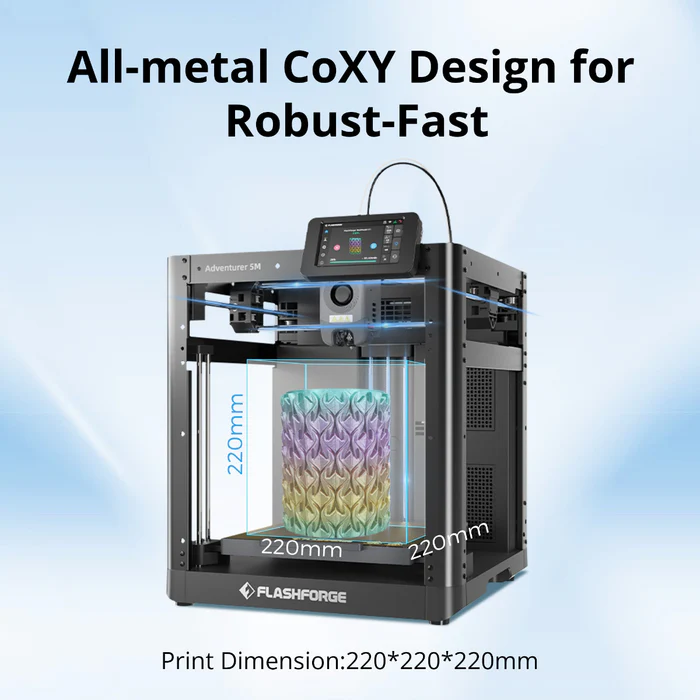
Desktop 3D printing is becoming easier for hobbyists, students, families, and DIY creators. Still, first-time users may face confusing assembly, manual calibration, unfamiliar software, and failed prints. A good 3D printer for beginners should simplify these early steps while leaving room for future projects. Modern 3D printer models often combine guided setup, automated adjustments, and accessible software to make learning more manageable.
What Makes a 3D Printer Beginner-Friendly in 2026?
Easy Setup and Automatic Calibration
Automatic bed leveling, guided setup, and simple controls can reduce preparation time and common setup errors. A mostly assembled printer also helps new users move from unboxing to a first test print faster. These features let beginners focus on making models rather than repeatedly adjusting the machine.
Reliable Printing Performance
Stable motion, consistent filament feeding, and dependable bed adhesion can reduce avoidable failures. Reliable performance also makes troubleshooting easier because beginners can change one setting at a time and better understand how temperature, speed, or model design affects the result.
Beginner-Friendly Software and Filament Support
An intuitive slicer makes a 3D printer easier to learn. Recommended profiles, clear model placement tools, and straightforward material settings limit the need for manual adjustments. PLA is a practical first filament because it is widely available and generally easier to print than many specialized materials.
Key Features to Look for in a Good 3D Printer for Beginners
Smart Features That Reduce the Learning Curve
Touchscreen controls, filament detection, built-in material profiles, and guided maintenance can simplify daily operation. These tools do not replace basic printing knowledge, but they reduce repetitive setup tasks and help new users complete projects with fewer interruptions.
Multi-Color and Multi-Material Printing Options
Single-color printing is enough for organizers, models, tools, and replacement parts. Users interested in decorative designs or complex prototypes may want more options later.
A multi head 3D printer can work with different colors or materials through separate print heads or material paths. This expands creative possibilities, although it may require additional setup and maintenance. A good 3D printer for beginners may therefore offer optional expansion rather than making advanced workflows mandatory.
Best Types of 3D Printers for First-Time Users
Entry-Level FDM 3D Printers
FDM printers remain a common starting point because they are often affordable, use easy-to-find filament, and require relatively simple maintenance. They also have strong community support, which gives beginners access to tutorials, model files, and troubleshooting advice. These printers can handle toys, school projects, organizers, decorations, and basic prototypes.
Advanced Beginner Printers With More Creative Features
Some users may prefer faster printing, enclosed build areas, smarter calibration, or multi-color compatibility. These features can provide more room for growth without requiring an immediate upgrade.
Beginners seeking a smoother introduction can explore Flashforge’s user-friendly printers, which focus on simple operation, reliable performance, and an easier first printing experience.
How to Choose the Right Beginner 3D Printer
Consider What You Want to Create
For collectibles and decorations, detail and color options may matter most. Household tools and replacement parts may require a larger build area or support for stronger materials. Schools and families may value enclosed printing and simple controls. Defining the main use case makes comparing models easier.
Balance Price, Features, and Long-Term Value
The cheapest 3D printer is not always the most practical choice. Consider ease of use, print reliability, software quality, available support, replacement parts, and upgrade options. Paying slightly more may be reasonable when a printer reduces setup difficulty or supports a wider range of future projects.
Beginner Tips for Better First Prints
Start With Simple Models and Materials
Begin with small models that have flat bases and limited overhangs. Simple projects print faster and make it easier to see how temperature, speed, and layer height affect quality. Using PLA and a tested profile can also reduce variables.
Learn Basic Maintenance
Keep the print bed clean, inspect the nozzle for buildup, and store filament away from moisture. Check belts, moving parts, and filament paths regularly. Basic maintenance can improve consistency and reduce avoidable interruptions.
Why Flashforge Is a Strong Choice for Beginners
Flashforge offers printers designed around accessible setup, intuitive controls, and stable performance. These qualities may suit users searching for a good 3D printer for beginners, while selected models also support faster workflows, enclosed printing, or expanded color and material options.
For users seeking a reliable starting point, Flashforge provides beginner-friendly solutions that can support the move from a first test print to more creative projects with confidence.
Final Thoughts
The best beginner printer should make setup manageable, provide consistent results, and match the user’s goals. Budget matters, but software, maintenance, support, and upgrade potential should also guide the decision. Choosing a 3D printer that can grow with your skills may provide better long-term value and a more enjoyable learning experience.
